Answer from your business facts
Give visitors useful answers about your services, hours, pricing, and policies without asking your team to stay online.
 Available on WordPress.org
Answer visitor questions from your approved business facts, capture leads, offer real open times, book appointments, and follow up after visitors leave.
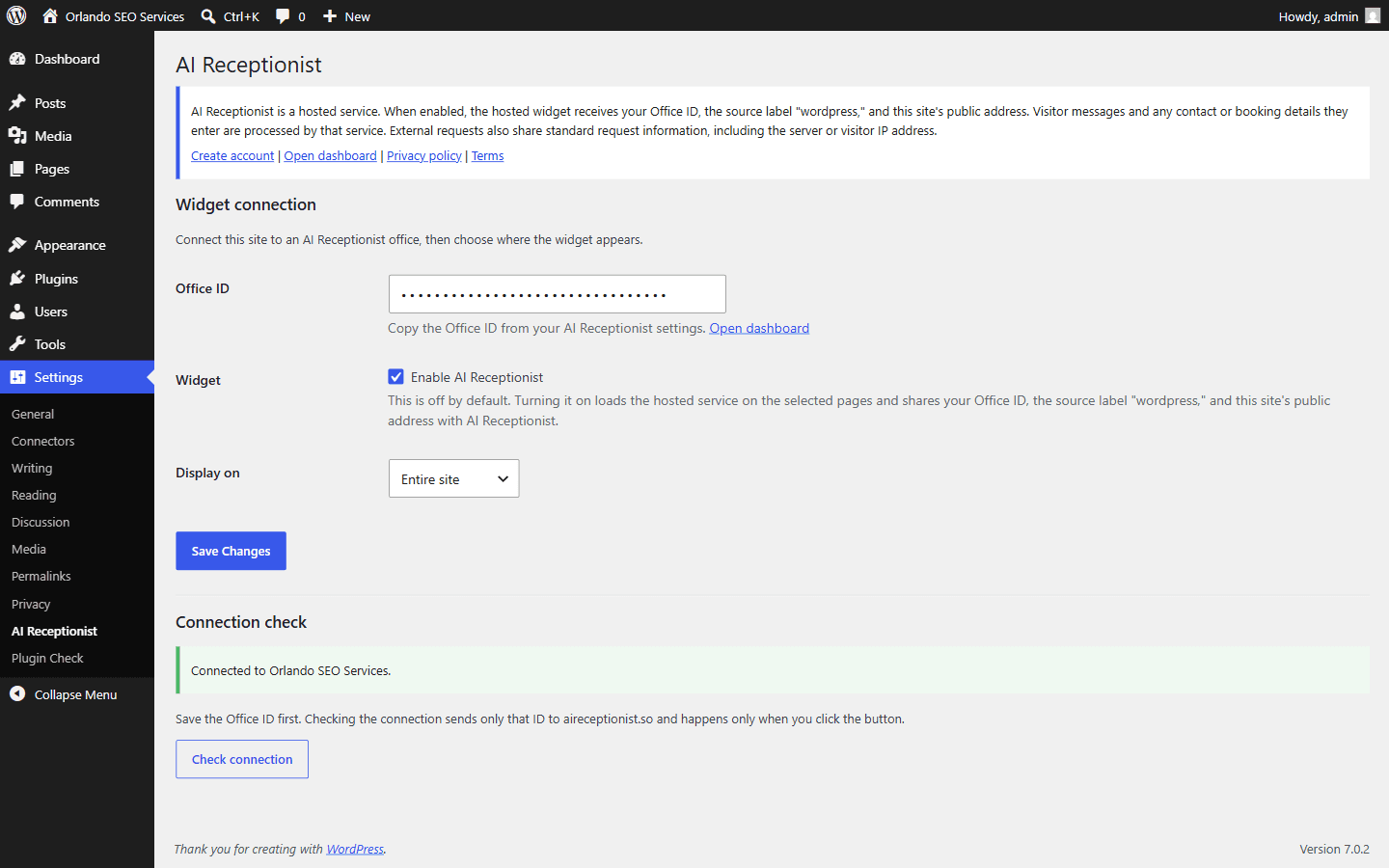
The plugin is the connector. AI Receptionist supplies the answers, lead capture, booking, and follow-up behind it.
Give visitors useful answers about your services, hours, pricing, and policies without asking your team to stay online.
Collect a visitor's name and email when they want a follow-up, so a useful conversation does not disappear when they leave.
Show the open times stored in AI Receptionist and create a booking after the visitor chooses one.
Send a short email sequence when someone shares an email but does not book, then stop when they book or opt out.
Visitors can switch the conversation to Spanish, and applicable follow-up emails continue in their language.
Show the widget across the site, on posts, on pages, or only on the front page from WordPress settings.
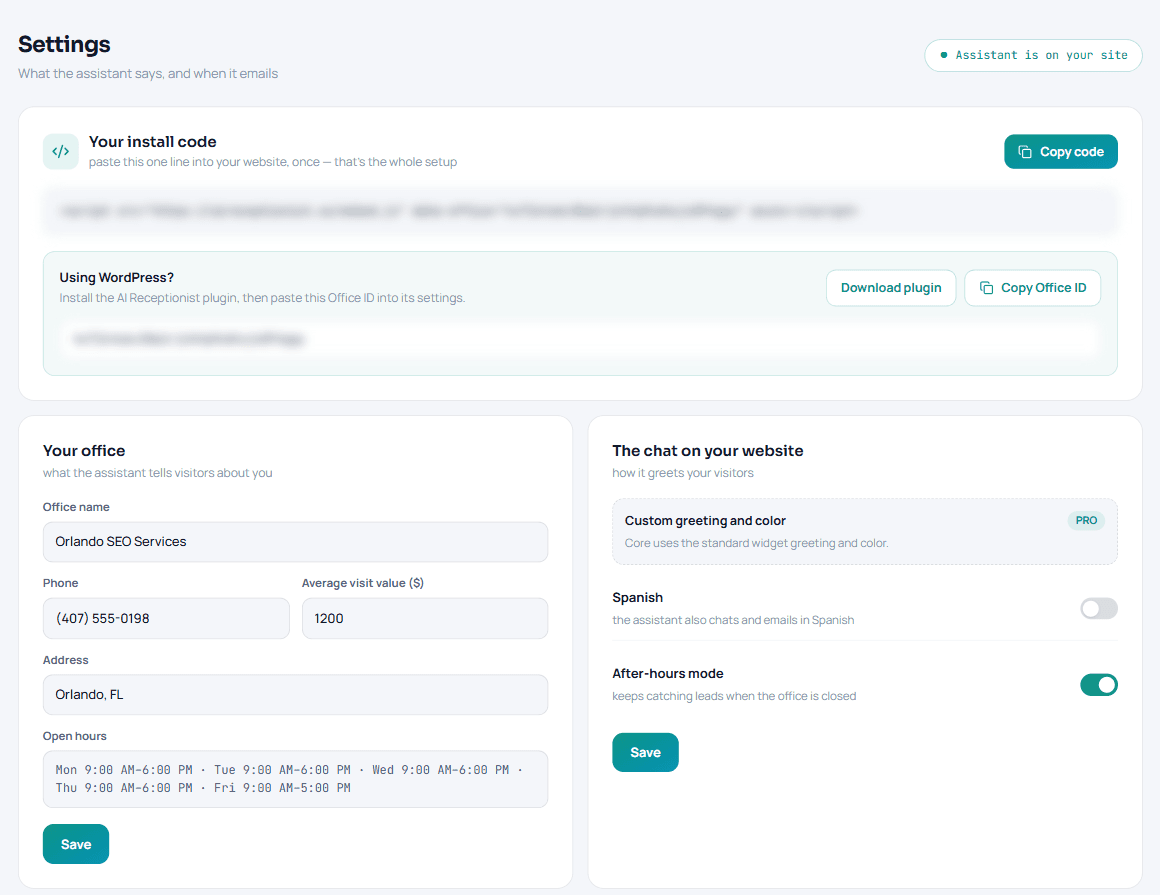
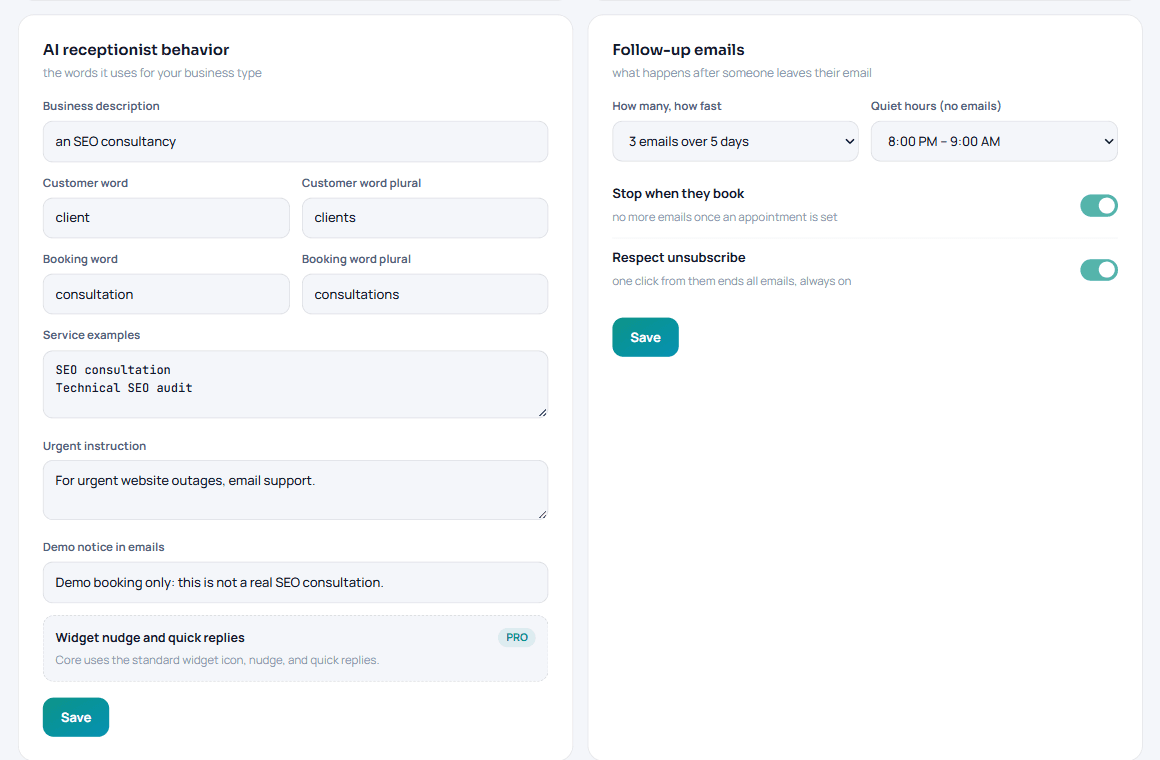
These are the current plugin and dashboard screens. Connection IDs are obscured in the images.
No theme editing and no hidden activation. You decide where the widget appears and when it turns on.
Add your business details, open hours, services, and the facts the assistant is allowed to use.
Install AI Receptionist Widget from WordPress.org, then open Settings > AI Receptionist.
Copy the Office ID from your AI Receptionist settings, save it in WordPress, and run the connection check.
Pick where the widget should appear, turn it on, and visit that part of your site to confirm it is live.
AI Receptionist is a hosted service. The plugin is deliberately explicit about that relationship instead of hiding it behind the install button.
The hosted widget does not load until an administrator saves an Office ID and enables it.
The connector does not modify theme files, posts, or pages. Deactivating it stops the widget from loading.
The settings screen and plugin documentation explain when the hosted service is contacted and what information it receives.
Start with 25 AI messages every month at no charge. Core and Pro have no monthly AI message limit. No setup fees, no contract, cancel anytime.
25 AI messages every month, permanently. The WordPress connector itself is free.
For one location that wants to stop missing ready-to-book visitors.
For teams that want more control over how the assistant looks and greets visitors.
Need a detail that is not covered here? Contact us.
It connects your WordPress site to the hosted AI Receptionist widget and controls where the widget loads. Conversations, leads, bookings, and follow-ups are handled by the AI Receptionist service.
Yes. The connector plugin is free, but an AI Receptionist account is required to use the hosted service. The Starter allowance includes 25 AI messages each month.
Sign in to AI Receptionist and open Settings. The WordPress installation card contains your Office ID and a button to copy it.
You can show it across the entire site, on posts, on pages, or only on the front page. The widget stays off until an administrator enables it.
Yes. A connection check sends the saved Office ID to AI Receptionist. When enabled, the hosted widget receives the Office ID, the source label wordpress, the site's public address, and standard request information. Visitor messages and any contact or booking details they choose to provide are processed by AI Receptionist.
No. It loads the hosted widget on the parts of the site you select without modifying theme files, posts, or pages.
The current plugin requires WordPress 6.3 or newer and PHP 7.4 or newer.
Deactivating stops the widget from loading. Uninstalling removes the plugin's WordPress settings and saved connection result, but it does not delete your AI Receptionist account or hosted service data.
Install the free connector from WordPress.org, create your account, and enable the widget only when your settings are ready.